 Skip to content
xScarlife UI Installation Guide
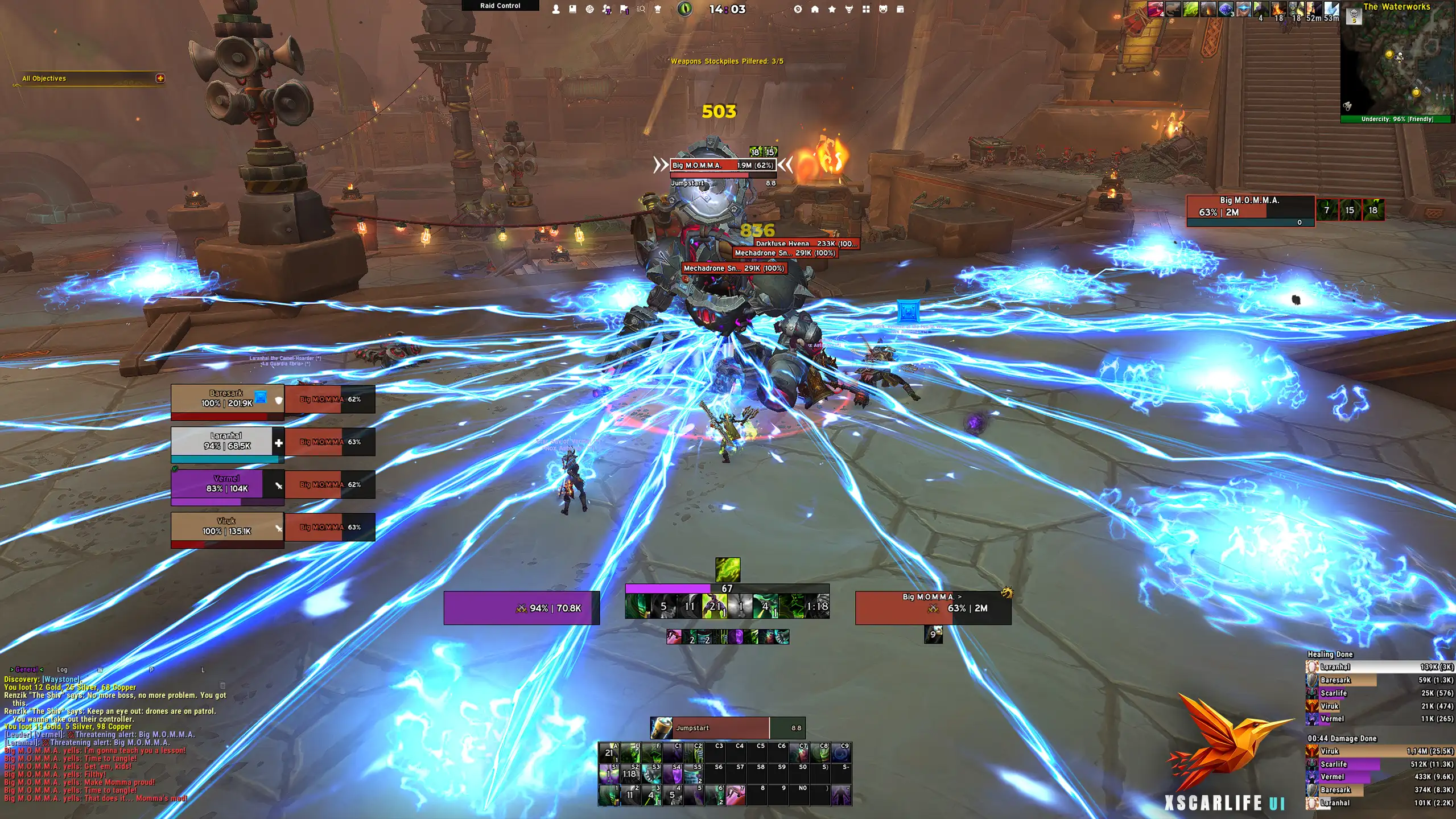
Installing the xScarlife UI for World of Warcraft is quick and beginner-friendly. The custom installer allows you to seamlessly import the full ElvUI profile, along with optimized settings for Details! Damage Meter, BigWigs, OmniCD and WindTools.
All profiles and configurations are completely free and crafted with passion for the WoW community.
If you’d like to support the continued development of these UI setups and guides, feel free to visit the Support page.
Required AddOns
Before installing the xScarlife ElvUI profile, make sure you have the required World of Warcraft AddOns installed. You can download them using the links below to ensure full compatibility with the UI setup.
Important: This interface was originally designed for a 2560×1440 resolution. If you’re using a 1920×1080 monitor, you may need to manually adjust some UI elements for the best visual experience.
Optional AddOns
The following World of Warcraft AddOns are optional and not required for the core xScarlife ElvUI profile to function.
However, installing them is highly recommended if you want to replicate the full look, layout, and functionality of the UI as shown in the guides and screenshots.
Installation
Before you begin, it’s highly recommended to back up your existing settings.
Back up your WTF folder
Before starting, make a backup of your current WTF folder. This allows you to restore your existing settings if needed and ensures a clean setup.
Choose your installation method
You can install the xScarlifeUI in two different ways. Choose the method that suits you best:
Option 1 – Automatic installation
This is the easiest and fastest way to install the xScarlifeUI.
Download the xScarlife UI installer plugin
Make sure all required AddOns are downloaded and ready.Move the folders to your AddOns directory
Drag and drop the downloaded folders into the correct World of Warcraft AddOns folder:
C:\World of Warcraft\_retail_\Interface\AddOns
C:\World of Warcraft\_classic_\Interface\AddOns
C:\World of Warcraft\_classic_era_\Interface\AddOnsLaunch World of Warcraft
Start the game and ensure all required AddOns are enabled on the character selection screen.Follow the in-game installer
After logging in, the xScarlife UI installer will guide you through the setup.
Follow the on-screen steps to complete the installation.
Option 2 – Manual installation (import strings)
For users who prefer manual control, all required import strings are available on this website.
Install ElvUI and required AddOns
Make sure ElvUI and all necessary AddOns are installed and enabled.Copy the import strings from the website
Each profile (ElvUI, AddOns, etc.) has its own import string.Import the profiles in-game
Paste the strings into the corresponding AddOn / Blizzard import windows and apply them.Reload your UI
After importing all profiles, /reload your interface to apply the changes.
Which method should I choose?
Installer method → Recommended for most users.
Import strings method → Ideal for advanced users or custom setups.
xScarlifeUI - Import Profiles
You can find all the profile import strings for my ElvUI profile, Details Damage Meter, Platynator via the dedicated pages on the website.
Video Guide
If you prefer a visual walkthrough, you can watch the full installation video guide below, where the entire setup process is explained step by step. This is the easiest way to follow along and ensure everything is installed correctly.
Still have questions or need help?
Feel free to reach out via Discord. I’m always happy to assist with installation issues or general setup support.
